
Export and copy
Four ways out of the browser, all of them already masked. What the file says about its own scope, and the one thing the export dialog refuses to claim.
Updated
Get evidence out of the browser and into a ticket in one step, already masked: as a HAR or JSON file, or as text or a cURL command on the clipboard.
Export a file
- Select the rows you want, filter the table down to them, or leave both alone for everything.
- Click Export in the toolbar. Choose the scope (Everything captured, Selected rows or Shown in the table, each with its count) and the format, HAR 1.2 or Loupewire JSON.
- Click Export in the dialog.
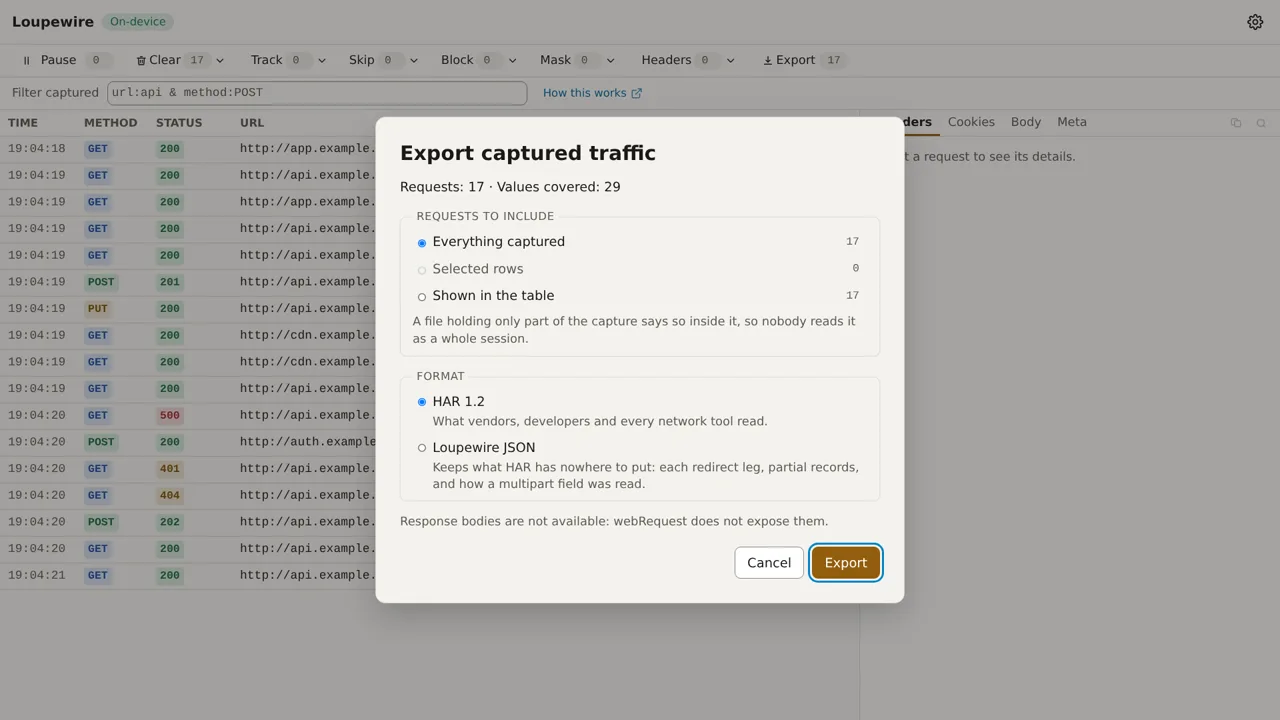
With rows selected, the dialog opens on Selected rows: of the two ways to be wrong, the narrower cannot over-share. A subset says so inside the file, in a field of the JSON and in the HAR log comment, so nobody reads it as a whole session. A selected row the filter hides is still exported.
Built, not "saved"
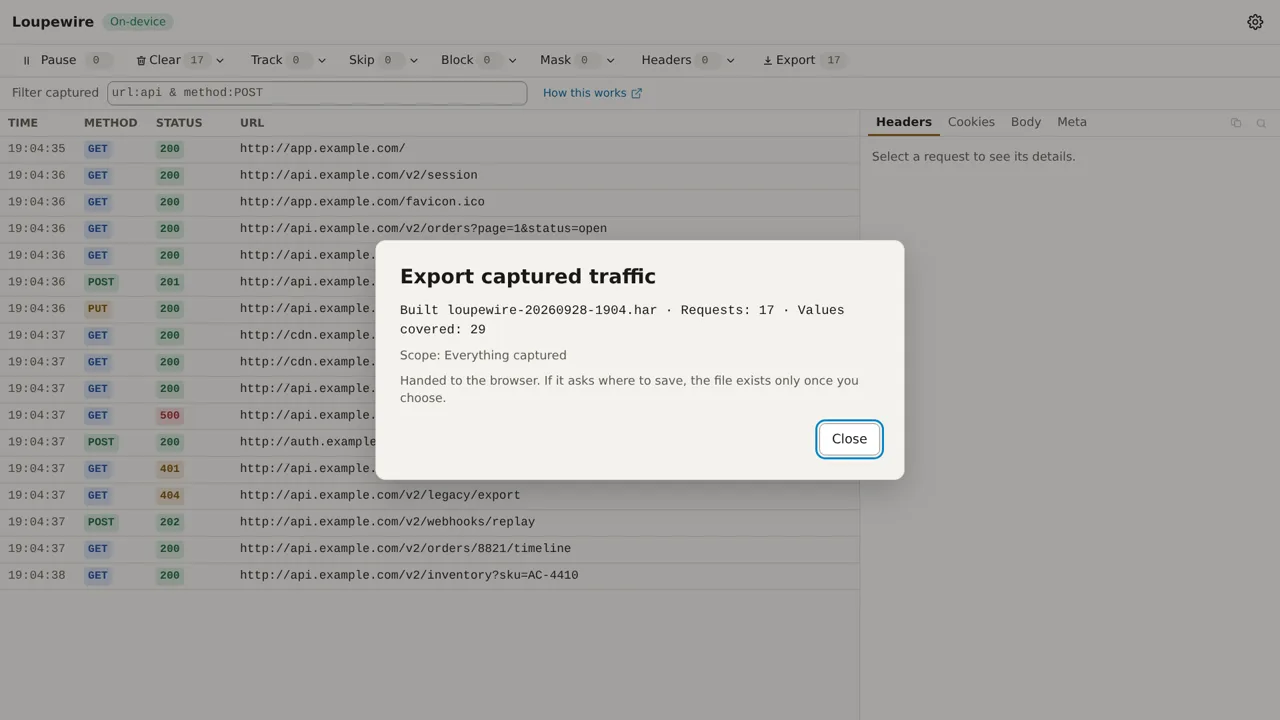
After Export, the dialog says the file was built and handed to the browser, never that it was saved. The page gets the same answer whether the file reached your downloads folder or you cancelled the save dialog, so "saved" would be a claim it cannot support.
Copy one request
- Select a request and open Copy this request.
- Choose Redacted text for a ticket or chat message, or Redacted cURL for a shell.
A copy can be checked, so this confirmation is definite: it names what it copied and how many values it covered. The cURL command keeps covered values covered, so it will not authenticate; it reproduces the shape of a request, not your credentials.
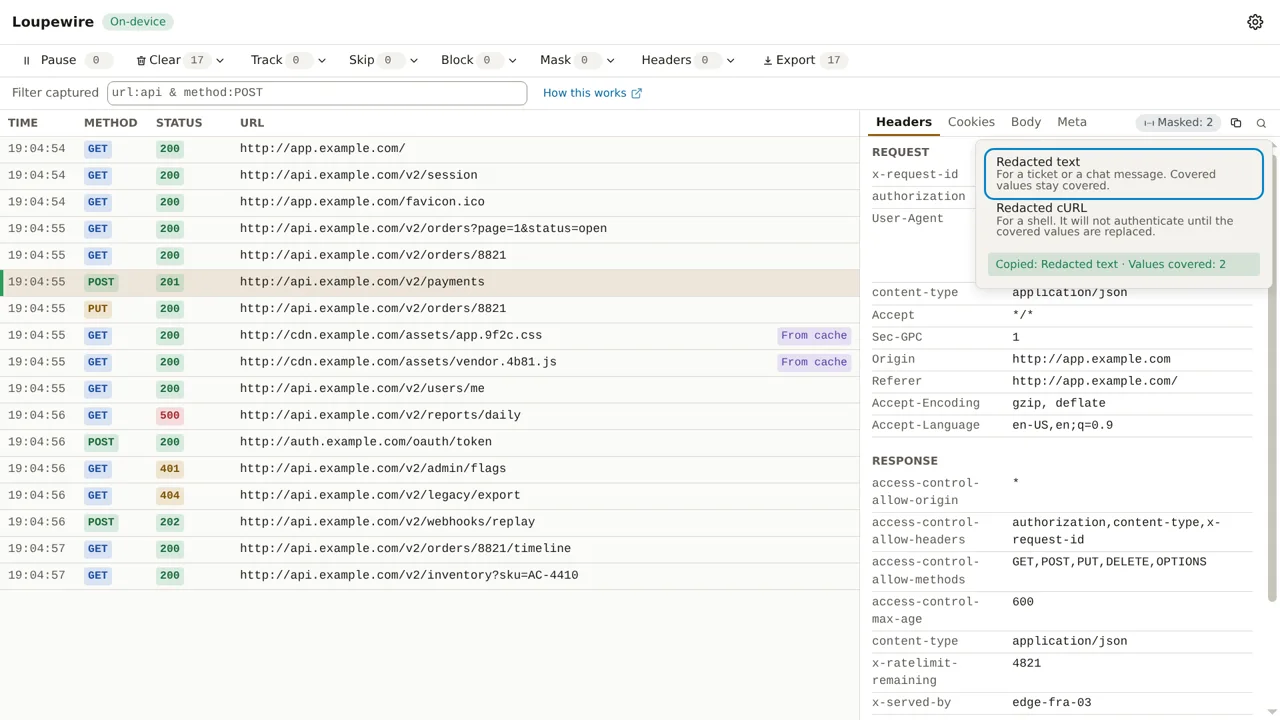
There is no unmasked copy. To read a real value, switch the secret preset off for the window, where a warning comes with it; see Mask and the secret preset.
Common mistakes
- Exporting with the secret preset off. The dialog warns you; read the warning.
- Pasting the cURL command and expecting a 200. It carries covered values on purpose.
- Comparing the file's URLs with the table's. A secret in a query parameter is covered in the file and readable on screen, by design.
Not in this version
Response bodies are not captured in this version. A masking report and per-request notes that travel into the file are planned, and so are saved sessions; today an export is the only thing that outlives the tracker window.